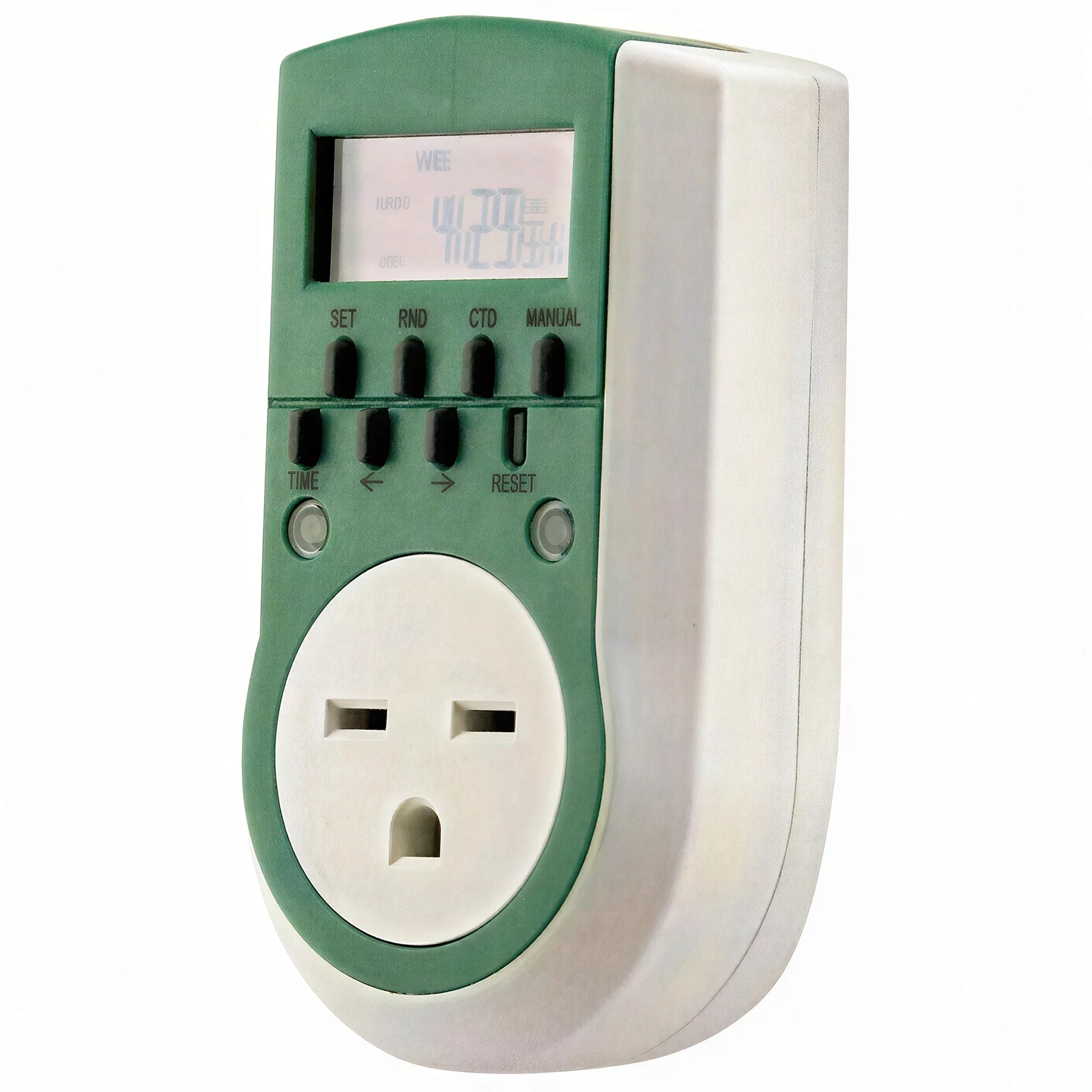
Titan Controls Apollo 11: 240V Digital Timer

SKU: HGC734155
1 review
Titan Controls Brand ProductMultiple Units? Click for Volume Pricing.

Availability: Out of stock

Lead time: This Product Ships in 2-3 Business Days


Price:
Sale Price$6.93
Product Documents1 file · manual View

Titan Controls: Bringing You Innovative Products to Meet the Growers Requirements!

The Apollo 11: 240 volt digital timer provides up to 20 separate schedules per day allowing the gardener a multitude of settings to accommodate their needs. Can be used to run a light, pump, fan, etc. at 240 volts.

  • One NEMA 6-15 240 volt power outlet
  • 1 minute intervals up to 20 programs per day
  • Battery back up features saves settings in case of power failure
  • Plastic enclosure resists dust and moisture
  • Heavy duty construction
  • Run light, pump or fan
  • 10 Amps - 240 Volts - 60 Hz.
  • 1 year warranty

Not recommended for use with digital/electronic ballasts.

Specifications

Voltage240 Volts

Product Details

BrandTitan Controls
SKUHGC734155
UPC870883000943
Weight0.4 lb
Dimensions (L × W × H)3.3 × 4.4 × 8.5 in.
Warranty1 Year

Shipping

Lead TimeThis Product Ships in 2-3 Business Days

Product Documents 1

We don't have a video for this product yet. Questions? Our grow experts are here to help: 888-815-9763.

Is this meant for use with digital or electronic ballasts?

This timer is not for use with digital or electronic ballasts due to the high in-rush current of the ballast. The in-rush current can be from 10 to 40 times the rated amperage for the product and this burns the contacts inside of the timer making it inoperable. Titan Controls recommends the use of the Apollo 5: 240 Volt ballast timer to operate digital and electronic ballasts.

My Apollo 11 is in 24 hour (military) time format. How do I change it to 12 hour AM & PM time format?

You can change the time formats by pressing and holding the TIME button for 3 seconds. This will change the display to the 12 hour AM/PM time format, and the Apollo 11 will show AM or PM in the corner of the display.

My Apollo 11 isn't following my 'ON TME' and 'OFF TIME' schedule programming?

Push the 'Reset' button and re-program the Apollo 11 in the 'AUTO OFF' setting. You can accomplish this by pressing the 'MANUAL' button and scrolling through the settings until you find the "AUTO OFF' setting. This sets the Apollo 11 to turn 'ON' and 'OFF' your equipment when your grow schedule requires it.

Why is there a '+1h' showing on my display?

This shows that the Apollo 11 is set in DAYLIGHT SAVINGS time format. It can be defeated by pressing the TIME button and the right arrow button at the same time for 3 seconds. One hour will be deducted from the current time and the '+1h' will disappear on the display screen.

  • 5 stars: 0 (0%)
  • 4 stars: 0 (0%)
  • 3 stars: 1 (100%)
  • 2 stars: 0 (0%)
  • 1 star: 0 (0%)
R
Redbone396
Summary of the digital timer not so well

After several days of trying to figure this timer out I've come to the conclusion it is not an easy timer for most people

You may also like

Recently viewed