What is CCMS and who makes it?
CCMS (Cultivation Climate Management System) is an environmental control platform built by a team with backgrounds in cultivation (20+ years each), medical software development (30+ years), and LED lighting sales. The founders identified gaps in existing controllers while running their own facilities and built CCMS to solve them.
What was the core problem CCMS was built to solve?
Cultivators were forced to use multiple controllers and platforms — one for this, another for that — with no unified view. CCMS consolidates device control, sensor monitoring, scheduling, and data logging into a single interface. The goal is to reduce complexity, improve workflow efficiency, and eliminate the cost of redundant systems.
What integrations does CCMS currently support?
Current integrations include Arroyo (sensor data), TrollMaster (device control and 24V irrigation boards), AgroTech (integration nearly complete), CCMS proprietary sensors and devices, and digital lighting partners including Faven (Chroma), Fosch (Legacy and Pro series), and Matrix (Dyna and Hybrid).
What is the pricing model?
CCMS is a one-time hardware purchase with no subscription required for software updates. New features and integrations are pushed as updates at no additional cost. When an update is available, a notification appears on the controller and can be applied in approximately 5 minutes.
How difficult is the CCMS system to learn?
The system is designed around a "2 clicks and you're there" principle. The top menu mirrors familiar software like Microsoft Office — main categories with subcategory menus. The interface is identical across the physical controller, desktop app, and mobile app, so there is no cross-training required.
Is the interface available in languages other than English?
Yes. Multi-language UI support is in active development. Spanish and Armenian are among the next targeted languages. The CCMS team welcomes requests for additional languages.
Can users customize the monitoring dashboard?
Yes. The monitoring screen is an interactive dashboard. Users can move data panels around to place related information side by side — for example, placing AC device status next to the temperature sensor reading to quickly correlate performance.
What does the real-time monitoring screen show?
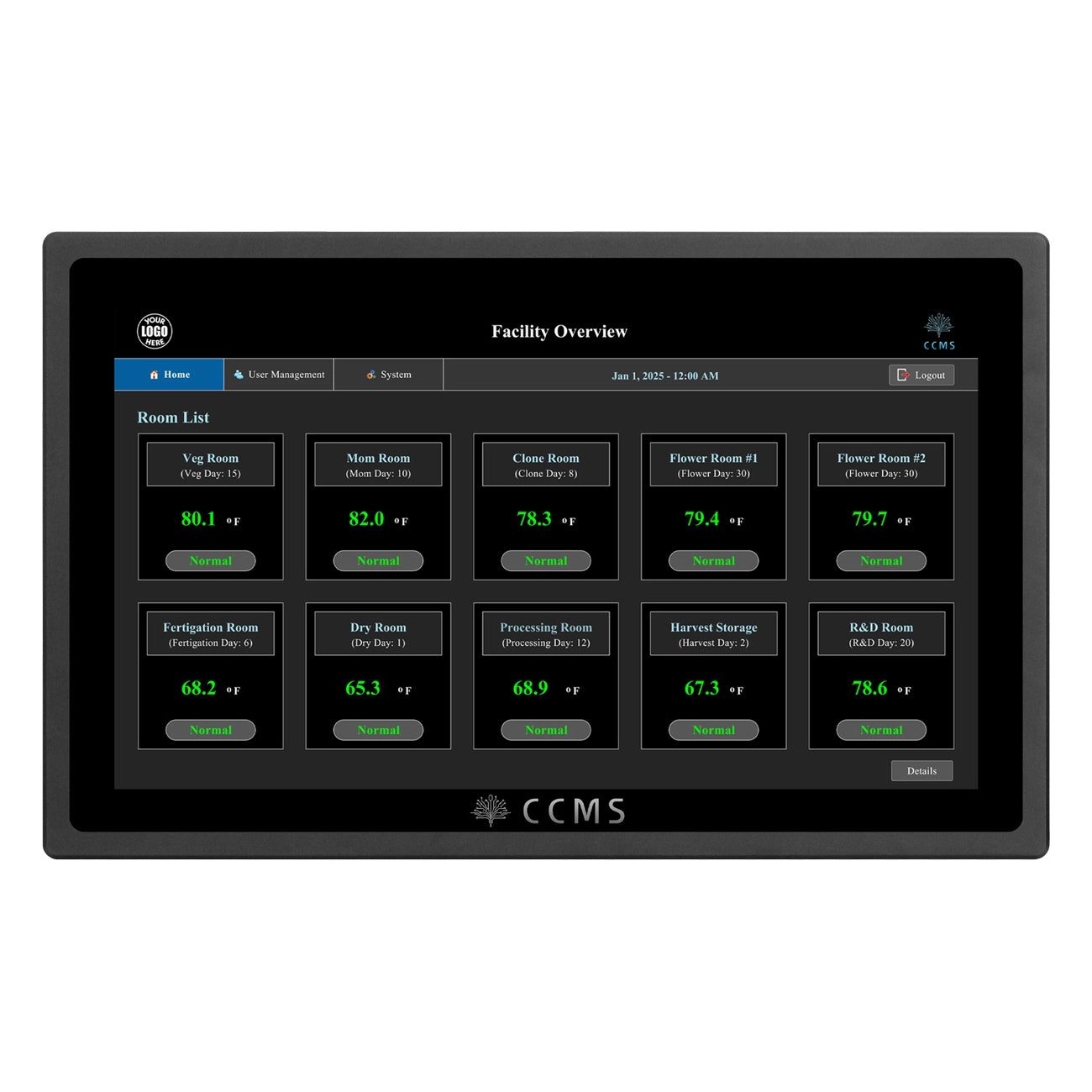
The monitoring screen displays all active sensor data in real time. Users can isolate individual sensors and view device status alongside sensor readings. The dashboard allows side-by-side comparison of device on/off state and environmental values to simplify troubleshooting.
Can users access historical data on CCMS?
Yes. Historical sensor readouts are accessible in two clicks from the monitoring screen. Users can also view the device log, which records every time a device comes on or off. The most powerful view overlays device status on top of sensor data over time, making it easy to identify cause-and-effect patterns.
How does user accountability work on the CCMS controller?
CCMS has a login system. Every change made on the controller is logged to the user who made it. Administrators can configure permission levels for each staff member, restricting access as needed. This supports auditability and reduces unauthorized changes.
How are devices configured on the CCMS controller?
Device configuration is done from a single screen. Users can name devices, assign them to zones, and set offsets and deadbands without toggling between multiple screens. Configuring all devices in a standard room typically takes about 2 minutes.
What device types does CCMS support?
CCMS supports AC units and dehumidifiers, CO2 devices, outlet devices (assignable to temperature, CO2, humidity, interlock, time scheduling, or recycling timer), irrigation valves via TrollMaster 24V boards, lighting via zero-to-10V and digital control, humidifiers, and any general-purpose device via custom category creation.
How many devices can one CCMS controller support?
Up to 50 devices per controller. For facilities with more devices, the SPH-1 splitter hub expands one device port into 8. Hubs can be daisy-chained to increase capacity further — two hubs equals 16 ports. This is consistent with existing TrollMaster workflows.
Can outlet devices be triggered by sensor conditions?
Yes. Outlet devices can be configured with interlocks — for example, triggering a device when a specific temperature, CO2, humidity, or other condition is met. This is configured within the device settings on the controller.
What lighting setups does CCMS support?
CCMS supports both traditional (HID/LED) and digital lighting. For digital fixtures, it supports independent channel control including far red, UV, white/blue, and red channels. Supported digital light lines include Faven Chroma, Fosch Legacy and Pro series, and Matrix Dyna and Hybrid.
Can customers run mixed light types in the same room?
Yes. CCMS supports checkerboard configurations with HID and LED, including under-canopy lighting, with no additional interface or separate lighting controller required.
How does far red scheduling work, including the Emerson effect?
Schedules support multiple cycles per parameter. For the Emerson effect, users add a secondary cycle immediately after the main lighting period to run far red at a specified intensity for a defined duration — for example, 15 minutes at the end of the lighting window. This is set up directly on the interactive schedule graph and requires no additional hardware.
Can light intensity be adjusted across channels independently?
Yes. Light Group Control allows users to create groups tied to specific channels and set independent intensity and schedules per group. UV, white/blue, red, and far red can each be independently scheduled and dimmed.
How are temperature, humidity, and CO2 schedules set up?
All three follow the same scheduling model. Users set daytime and nighttime parameters with start/end times applied globally across all initial cycles. The schedule is interactive — changes can be made directly on the graph or via input fields. Multiple cycles per parameter are supported.
What is the Schedule Manager and when should a customer use it?
The Schedule Manager allows cultivators to save a full environmental schedule from a successful run and replay it in future runs. Users define growth stages or week-by-week breakdowns, assign environmental parameters to each stage, and the system runs fully automated against those presets. It is best suited for facilities with repeatable production cycles.
Can CCMS handle multi-cycle lighting with staged temperature changes?
Yes. Multiple cycles are supported for lighting, temperature, humidity, and CO2. This enables staging — for example, ramping temperature down before lights-off to pre-condition the room and reduce the temperature swing when the load shifts.
What irrigation control does CCMS currently support?
CCMS supports scheduled irrigation through TrollMaster 24V control boards. Users set schedules for main and irrigation valves, define shot quantities, and the system updates the scheduling table automatically. Emergency shots can also be triggered manually and are logged for later analysis.
Does CCMS detect scheduling conflicts in irrigation?
Yes. If overlapping irrigation schedules are detected, the system alerts the user. The user can proceed or adjust — it is a notification, not a hard block.
Can CCMS trigger irrigation automatically based on sensor data?
Not currently. Sensor-triggered automated irrigation is on the development roadmap. The planned approach is an integration with Arroyo's Automate feature, which would provide data-driven irrigation recommendations. An Arroyo subscription would be required to access that functionality.
How are alarms configured in CCMS?
Alarm thresholds can be set within each environmental schedule or from a centralized alarms screen. Both locations provide full access. Alarms are logged on the controller with timestamps for when the trigger occurred and when it was resolved.
How are CCMS alarm notifications delivered?
Notifications are forwarded to staff via the CCMS mobile app on iOS and Android. Administrators can configure which users receive alerts. Smoke alarms are also supported with dedicated notifications.
What is Spray Mode?
Spray Mode is a facility management feature that temporarily disarms all devices or moves them to lower set points for a user-defined duration. This prevents human error during maintenance sprays — for example, a staff member forgetting to restore device settings after a spray application. When the timer expires, all devices automatically return to their original set points.
What does the CCMS physical controller look like?
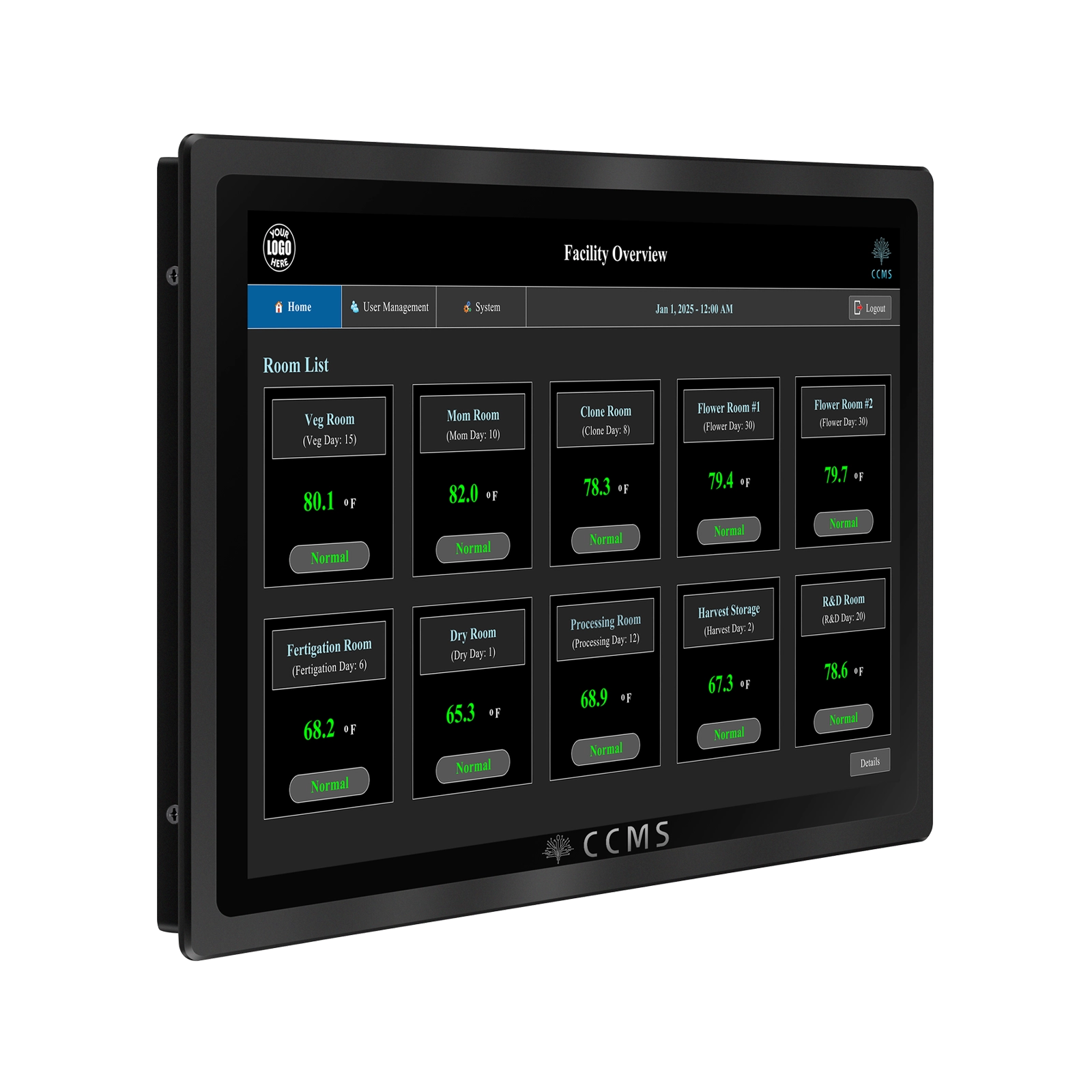
The CCMS controller is a 13-inch touchscreen device. It supports both flush mount and surface mount installation via a rear mounting bracket. For panel enclosures, the rear cover is removed and the controller is sandwiched into the panel opening for a clean flush fit.
Can CCMS replace an existing controller like the HCS2 in a TrollMaster cabinet?
Yes, with a modification. The CCMS controller is larger than most existing interfaces, so the cabinet cutout will need to be enlarged. Once mounted, connection is straightforward: plug in light line 1, light line 2, and RJ12 device connections, register devices and sensors, and the system is operational. A connection diagram is available from CCMS upon request.
Does CCMS use Wi-Fi?
No. CCMS uses direct wiring, not Wi-Fi. This is an intentional security decision. Customer data is stored on the controller itself — it is not transmitted to or stored on CCMS-managed servers. No cloud subscription is required to access data.
What ports are on the CCMS controller?
The controller includes ports for light line 1, light line 2, a third light line port on current hardware versions, and RJ12 device/sensor connections. Additional device ports can be expanded using the SPH-1 splitter hub.
Does every CCMS customer need the server?
No. A single controller per room is sufficient for single-room or small facilities. The mobile app provides remote access without requiring the server. Even for larger facilities with 10+ rooms, the server is optional — it adds value but is not required.
What does the CCMS server add for multi-room facilities?
The server acts as a central hub connecting all controllers on a local network. Key benefits include accessing any room's controller from any other controller on the network, backup and restore if a controller fails, and the ability to configure one controller and clone settings to all others during new facility setup.
When should a sales rep recommend the CCMS server?
Recommend the server for facilities with multiple rooms where centralized visibility and management are priorities. It delivers the most value at scale — roughly 10 or more rooms — but can be added to any multi-room facility. Lead with the single-controller pitch and introduce the server as a facility management upgrade.
How does the customer receive CCMS software updates?
A bell icon appears at the top of the controller interface when an update is available. The user clicks the notification, reviews release notes, and confirms the update. Installation takes approximately 5 minutes. Features listed as "Coming Soon" on the controller will transition to active once that update is released.
Is there a cost for CCMS software updates?
No. Software updates are included with the one-time controller purchase indefinitely. New integrations and features are delivered this way at no added cost.
What features are currently in development or planned for CCMS?
Items confirmed as in development include VPD control (automatic humidity adjustment based on temperature), sensor-based irrigation automation via Arroyo Automate integration, additional language support for the UI, and additional integrations visible as "Coming Soon" tags in the controller interface.
How do I stay current on what features are coming to CCMS?
Watch the "Coming Soon" tags in the live controller interface. When a feature ships, the tag disappears and a bell notification confirms the update is available. The CCMS team can also provide roadmap updates on request.
What are the primary selling points to lead with for CCMS?
Key value drivers include: integration-first compatibility with Arroyo, TrollMaster, and AgroTech so customers keep existing infrastructure; no subscription with continuous free software updates; 2-click navigation with identical interface across controller, desktop, and mobile; sensor and device overlay for faster troubleshooting; no Wi-Fi or cloud data storage for security; and a retrofit-friendly upgrade path versus full system replacement.
When is a live demo with CCMS appropriate?
CCMS encourages joint demos with customers. If a customer is evaluating the product seriously or has technical questions beyond what a sell sheet covers, request a demo with the CCMS team. Provide a few days' notice for scheduling. Both Kirk and Joe are available for these calls.